 By Ilham Musyafa · October 23, 2026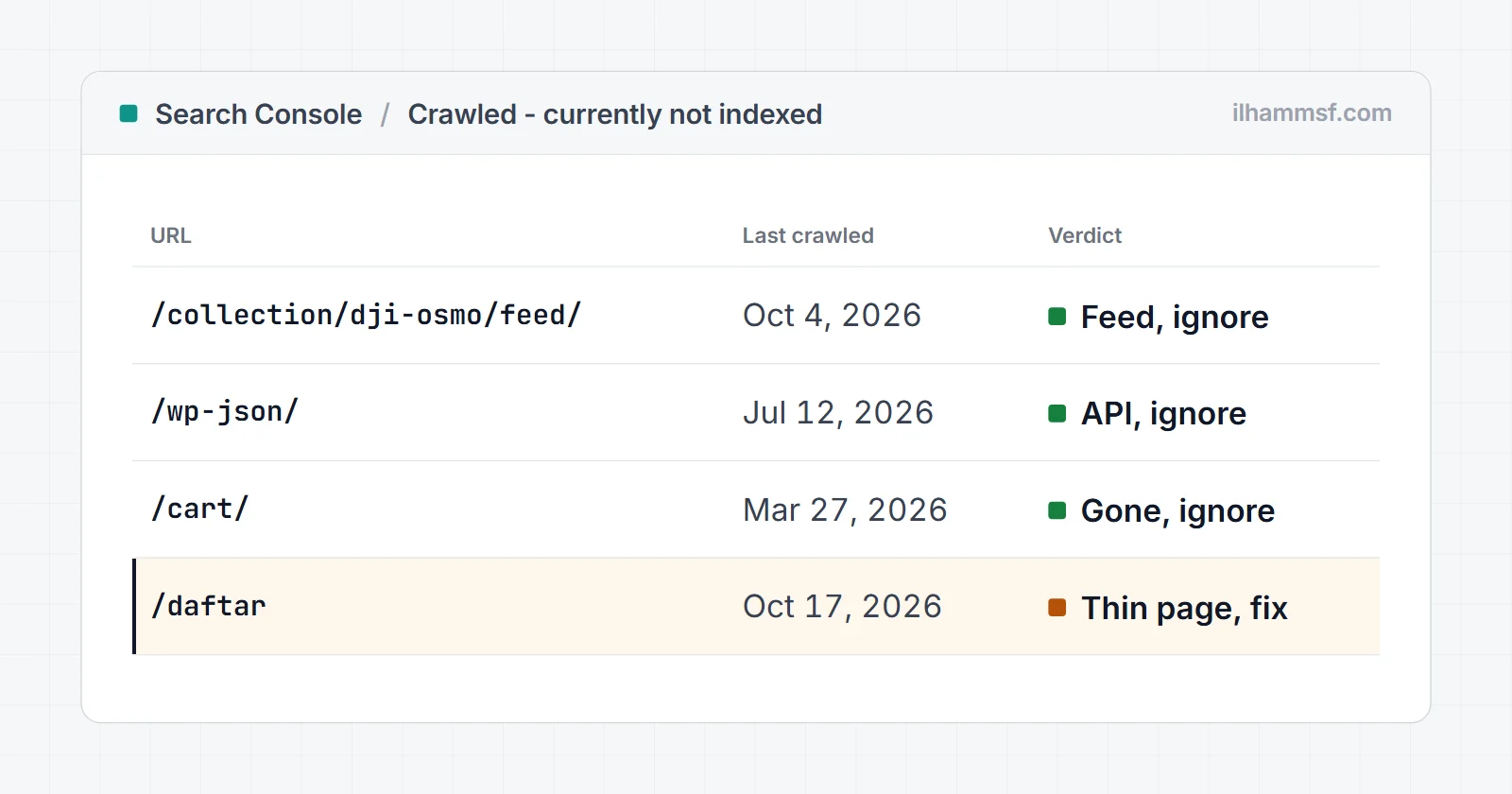
Crawled - currently not indexed means Google fetched the page, read it, and decided not to add it to its index for now. Nothing technical stopped it. It was a judgement call. So the fix is never a setting or a resubmit button: it is either accepting that the URL does not belong in Google, or making the page worth indexing and sending stronger signals to it.
The first step is always the same, and most people skip it: look at which URLs are actually in the list. On most sites, a good share of them are feeds, API endpoints, cart pages and other system URLs that you never wanted in Google anyway. Those need no fix at all.
What "Crawled - currently not indexed" actually means
Google works in stages: it discovers a URL, crawls it, renders it, and then decides whether to index it. This status sits at the very end. Googlebot was allowed in, the page loaded, there was no noindex and no canonical pointing away, and Google still chose to leave it out.
Google's Page indexing report help page describes it plainly: the page was crawled but not indexed, it may or may not be indexed in the future, and there is no need to resubmit it for crawling. The "Source" column in the report says Google systems, not Website, which is Google's way of telling you this was its decision rather than a block you set.
It is easy to confuse with its sibling. Discovered - currently not indexed means Google knows the URL but has not crawled it yet, which is a crawl scheduling problem. Crawled - currently not indexed means it already read the page. That difference matters, because the second one is about what is on the page, not about your server. I compare the two side by side in my guide to why pages are not indexed.
A real example: the list on my own rental site
Here is the report for tangkaprasa.com, the camera rental business I run in Jogja. Five URLs carry the status:
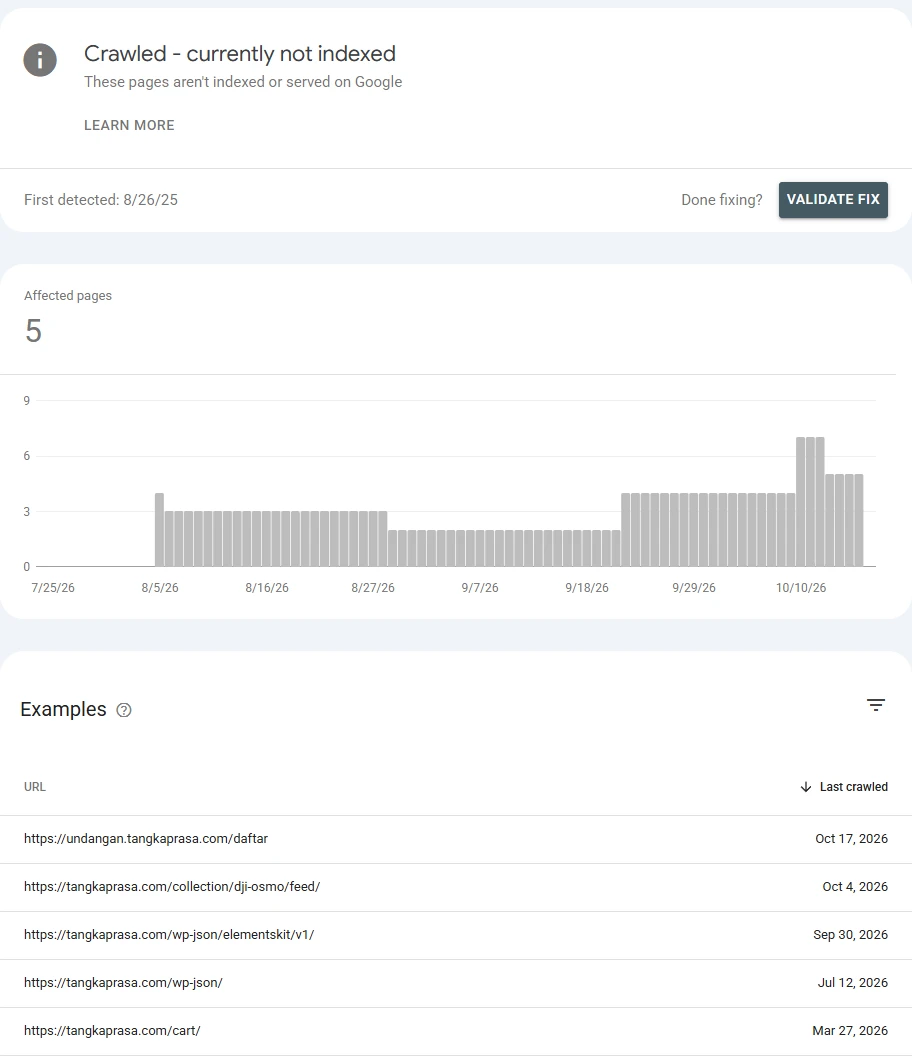
Read the examples before you fix anything:
/collection/dji-osmo/feed/is an RSS feed that WordPress creates automatically for every category-style archive. It is a copy of the collection page in feed format./wp-json/and/wp-json/elementskit/v1/are WordPress REST API endpoints. They return JSON for scripts, not pages for people./cart/is a cart page that no longer exists. It returns a 404 today.undangan.tangkaprasa.com/daftaris the signup page of a separate product on a subdomain. This is the only URL in the list that a person might actually search for.
So four of five rows are URLs that should never rank. Google reached the same conclusion I would have, and that is exactly what this status is for. If your list looks like this, the right move is to leave those rows alone.
Step 1: check the URL in URL Inspection first
The Page indexing report is not live. It updates every few days, and each row shows the state as of the last crawl it knows about. So before you work on any URL, paste it into the URL Inspection bar at the top of Search Console.
When I inspected the signup page from the list above, this is what came back:
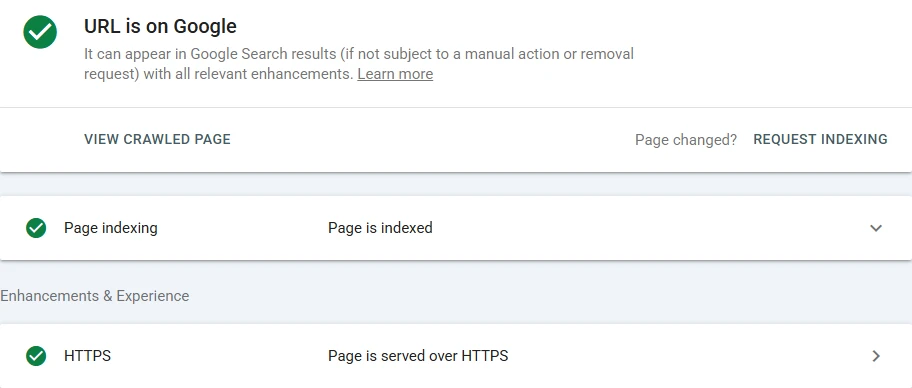
The page was already indexed. The report was last updated on October 16, and Google crawled the page again on October 17 and indexed it. Had I started "fixing" it from the report alone, I would have changed a page that was already fine.
The feed URL, on the other hand, really is out:
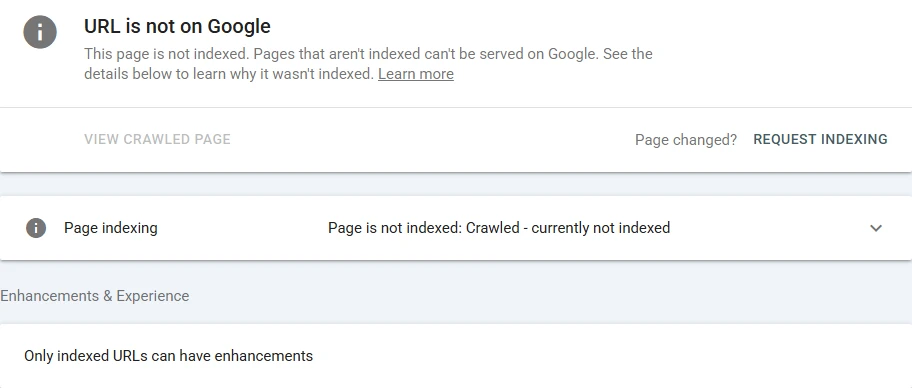
That is the result you expect for a feed, and it needs nothing.
Step 2: find the reason with an indexability check
URL Inspection tells you the status. It does not tell you why Google judged the page not worth keeping. For that, look at the page the way a crawler sees it. I run the URL through the indexability checker, which fetches the page from a server with a crawler-style user agent and checks the status code, redirects, robots.txt, noindex, canonical, and how much text is in the raw HTML.
Here is the signup page from the example:
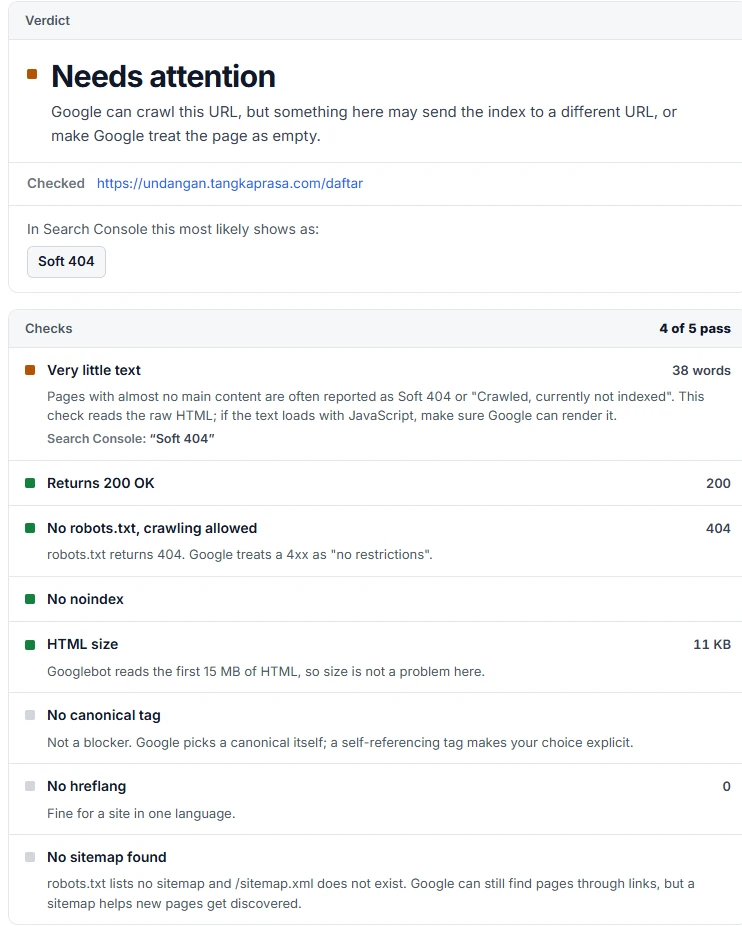
Everything technical passes: 200 status, no noindex, nothing blocked. The one warning is the real story. The page has 38 words of text. A signup form with a heading and two buttons gives Google almost nothing to index, and that is the most common reason a legitimate page lands in this status.
How to read the result:
- If a technical check fails (a noindex, a block, a redirect), you are looking at a different problem, and Search Console will usually move the URL to a different status once it recrawls.
- If every technical check passes, the cause is the content or the signals around it. That is the case this status is about, and the next section covers it.
The real causes, and how to fix each one
The URL should not be in Google at all
Feeds, API endpoints, internal search results, filter and sort parameters, cart and checkout pages, tag archives with one post, attachment pages. These are crawled because something links to them, and Google rightly declines to index them.
The fix is no fix. If the list is long and you want it tidier, stop advertising those URLs: remove links to them from templates, keep them out of your sitemap, and add noindex to page types that should never appear (internal search results, for example). Do not block them in robots.txt if they are already crawled and you want them gone, because a blocked URL cannot be recrawled to see the noindex.
The page is thin
A page with a heading, a form and a sentence, or a product page with one line of description, gives Google little reason to keep it. Add what a visitor actually needs at that point: what the product or service is, who it is for, prices or how pricing works, common questions, photos with descriptive alt text. Length is not the goal. Usefulness is.
The page is a near duplicate
Location pages that differ only by city name, product variants with identical copy, or two articles answering the same question. Google indexes one representative and skips the rest. Either make each page genuinely different, or merge the duplicates into one stronger page and redirect the others to it. If two of your pages compete for the same search, my guide to keyword cannibalization walks through choosing which one stays.
The page has weak internal links
A page that is only reachable from the sitemap, or linked once from a footer, looks unimportant. Link to it from relevant pages that are already indexed and get traffic, with anchor text that describes what the page is about. This is often the single change that tips a good page over the line.
The site is new or has little authority
Google is more selective with new sites. It may index the homepage and a handful of pages and hold back the rest until it sees more signals. Keep publishing pages that are clearly useful, earn a few links from relevant sites, and the backlog usually clears over weeks to months.
The content loads with JavaScript
If the main text only appears after JavaScript runs, and rendering fails or times out, Google may see an almost empty page. Compare the raw HTML word count in the checker with what you see in the browser. If the raw HTML is nearly empty, render the important text on the server or make sure the scripts load reliably.
Fixing a page that should be indexed, in order
- Confirm in URL Inspection that it is still not indexed today.
- Run it through the indexability checker and make sure every technical check passes.
- Improve the page itself: more useful content, unique compared with your similar pages.
- Add internal links to it from relevant indexed pages.
- Make sure it is listed in your sitemap with its final URL. The sitemap checker shows whether it is there.
- In URL Inspection, click Request Indexing once.
- Wait. Recheck in two to four weeks, not every day.
Request Indexing is not a fix by itself. Requesting a recrawl of a page that has not changed gets you the same decision.
Validate fix: why it fails so often here
The Validate fix button asks Google to recrawl every URL in the list and confirm the issue is gone. With this status, validation fails often, and for an understandable reason: if the content did not meaningfully change, Google's answer does not change either. Validation also includes the junk URLs you decided to leave alone, and those will stay not indexed by design.
My advice: do not validate this status for the whole list. Fix the pages that matter, request indexing for those, and watch them individually in URL Inspection. The count in the report will catch up on its own.
Should you worry about the number?
Look at the trend and the examples, not the raw count. A handful of feeds and system URLs is normal on almost any WordPress site. Worry when:
- Your important pages (services, products, main articles) are in the list.
- The count climbs steadily week after week while your indexed count stays flat.
- New posts land here as a pattern rather than as an exception.
Those point to a sitewide quality or linking problem, and fixing pages one by one will not keep up.
Frequently asked questions
What does "Crawled - currently not indexed" mean in Google Search Console?
Google crawled the page and decided not to index it for now. Nothing technical blocked it. It was a quality or priority decision, and Google may index it later.
Is "Crawled - currently not indexed" bad for SEO?
Only when the URL is one you want in Google. For feeds, API endpoints, cart pages and similar URLs it is the correct outcome and needs no action.
How long does it take for Google to index a page after it was crawled but not indexed?
There is no fixed time. After a real improvement, a recrawl and a new decision usually take days to a few weeks. Without a change, the page can stay in this status indefinitely.
Should I click Request Indexing for these pages?
Only after you have changed something. Requesting indexing for an unchanged page gets you the same result, and the request has a daily limit.
What is the difference between "Crawled - currently not indexed" and "Discovered - currently not indexed"?
Crawled means Google already read the page and chose not to index it, which points to content and signals. Discovered means Google knows the URL but has not crawled it yet, which points to crawl capacity and weak links.
Why are my WordPress feed and wp-json URLs crawled but not indexed?
WordPress links to feeds and the REST API from page headers, so Google finds and fetches them. They are not pages for searchers, so Google does not index them. That is expected and safe to ignore.
If your important pages keep landing in this list and you want someone to find the cause, a website audit covers indexing, content and internal links together, or you can get in touch and I will take a look.